 Skip to content
ExFreight Open API
Freight API for quoting, booking and tracking
Connect your TMS, ERP or order system to ExFreight. One connection quotes, books and tracks domestic and international air, ocean and trucking shipments, with rates and transit times included.
// Quoting API · request
// response · rate options
// Booking API · selected option
// booking activity
// Tracking API · shipment reference
// milestones
Illustrative fields. The exact request and response fields are confirmed in the ExFreight test environment.
Three APIs, one connection
ExFreight API endpoints: quote, book and track
Quoting API
Domestic and international air, ocean and trucking. Rates and transit times are included.
Guide: freight quote API
Booking API
All booking activity, updates, changes and confirmations, from the quote you accept to the confirmed shipment.
Guide: freight booking API
Tracking API
Location-based digital tracking plus all manual updates.
Guide: freight tracking API
Exact request and response fields are confirmed during onboarding in the ExFreight test environment.
Definition
What is a freight API?
A freight API is a connection that lets your TMS, ERP or order system request rates, book shipments and receive tracking updates from a freight forwarder or carrier, without manual entry.
Instead of retyping shipment details into a portal or an email, your software sends them once and gets structured answers back. With ExFreight, one connection covers air, ocean and trucking, so the same order can be priced by mode before anyone books it. Shipping documents follow the same request and response pattern, as the bill of lading API guide shows.
| EDI | Freight API | |
|---|---|---|
| Speed | Batch messages | Request and response on demand |
| Setup | Partner mapping per X12 transaction set | Test environment, then go live |
| Best for | High volume, fixed partners | Instant rates across modes |
See the system the API connects to
 How to quote and book an ocean shipmentExFreight on YouTube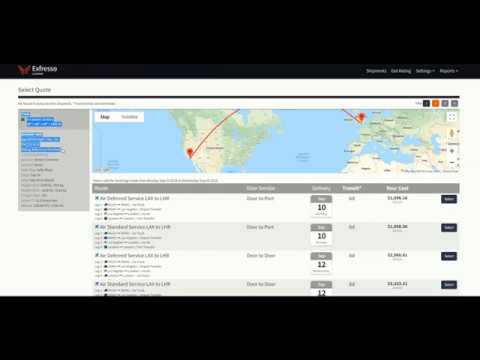
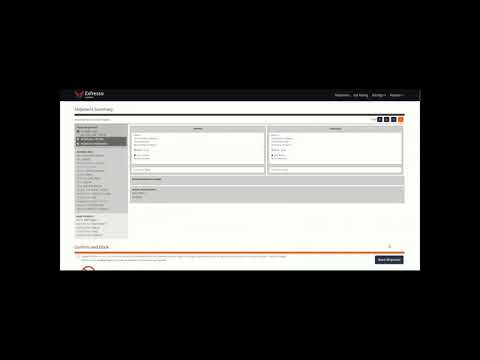
The ExFreight API gives your system access to the same online rating, booking and tracking system shown in these walkthroughs. More in the how-to-ship videos.
How the connection works
One connection for air, ocean and truck freight
A carrier API covers one carrier's network. The ExFreight API sits in front of a multimodal network, so your system asks once and gets air, ocean and trucking options back. What each mode adds to the data is covered in the multimodal freight API guide.
Your systems

Open API
Modes and ExFreight's role



Behind the Quoting API
The rating engine your system talks to
ExFreight's rating technology calculates door-to-door rates between North America and 150 countries. It draws on over 10,000 rate options, combining ports, carriers and pickup and delivery choices, then filters and sorts them so the right one is easy to pick. Which of these fields the API returns is confirmed in the test environment.
- Transit time per option
- On-time percentage per option
- Estimated carbon emissions
- Multiple ports of exit and entry
- Pickup and delivery carrier choices
- Density-based LTL pricing
Go deeper by mode with the freight rate API and LTL rate API guides, see how the freight emissions calculation works, and add duties and taxes with a landed cost estimate.
Existing integrations
Already integrated with these TMS platforms
ExFreight's open API is built to integrate with proprietary TMS platforms. These systems are already integrated. Planning your own build? Start with TMS carrier integration, or ERP freight integration for order and finance systems.
How access works
Test environment, documentation and support
Request access
Email salesbox@exfreight.com with your company, systems and the modes you ship. APIs are available upon request.
Build in the test environment
ExFreight provides access to its test environment and documentation, and answers questions while your team builds. Prepare with the freight API integration checklist.
Go live
Quotes, bookings and tracking move into your own screens. Your account, invoices and payments stay in the ExFreight portal.
Get support
A U.S.-based team answers shipment and system questions online from 8:00 AM to 8:00 PM ET.
Straight answers
What the API does not do
Knowing the limits up front saves your developers and your finance team time.
Plan your integration
Freight API guides
The basics
Bill of lading API: eBOL standards and fields→Freight quote API: what a rate request needs→Freight booking API: quote to confirmed shipment→Freight tracking API: milestones by mode→Freight rate API: ocean and air rates→What does API mean in freight?
API stands for application programming interface. In freight it is the connection that lets a shipper's software get rates, book shipments and pull tracking from a forwarder or carrier automatically. The order data your TMS or ERP already holds is sent once, and structured answers come back without anyone retyping it into a portal.
Is the ExFreight API self-serve?
No. The APIs are available upon request. Contact salesbox@exfreight.com and ExFreight will give your team access to its test environment and help with integration questions. There are no instant self-serve keys: access follows a short conversation about the systems you run and the modes you ship.
Which shipping modes does the API cover?
Quoting covers domestic and international air, ocean and trucking, with rates and transit times included. Booking and tracking cover the shipments you quote. The rating engine behind the API prices door-to-door moves between North America and 150 countries, and trucking rates use density-based LTL pricing.
Does ExFreight already work with my TMS?
Existing integrations include Project 44, Accufrate, Banyan, SAAS, 7L, Primus, Pacejet, CSA Software and Teknowlogi. Other systems can connect through the open API, which is built to integrate with proprietary TMS platforms. If yours is not on the list, email salesbox@exfreight.com with the system name and the modes you ship.
Is a rate from the API the final price?
Quotes are informational and subject to change. If the actual shipment differs from the details sent, the shipment can be re-invoiced, and duties, taxes, bonds, MPF and HMF are billed separately. Sending accurate weight, dimensions and commodity in the request keeps the quoted rate close to the final invoice.
Who handles a claim on a shipment booked through the API?
On ocean and air shipments ExFreight is the licensed carrier and settles claims directly. On trucking-only shipments ExFreight acts as the broker (FMCSA MC-677423-B) and helps you file the claim with the carrier. Optional all-risk cargo insurance can be added at booking, with an instant downloadable certificate.
Connect your system to ExFreight
Tell us which TMS, ERP or order system you run and which modes you ship. We'll set you up in the test environment.
